1. Seat height
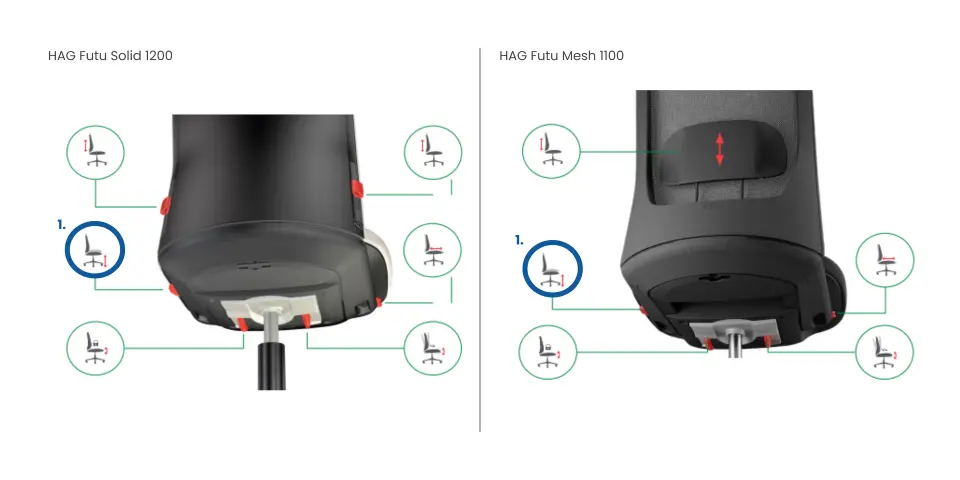
Use the lever located on the left underneath the seat. Pull the lever upward and stand up or sit down to adjust the height. Release the lever to lock the height in place.
Adjust the chair so that your feet rest flat on the floor and your hips are positioned slightly higher than your knees.
Tip: Do you notice yourself sliding forward on the seat? Then the chair is probably set too high. Lower the seat height until you feel balanced and your feet are firmly supported on the floor.
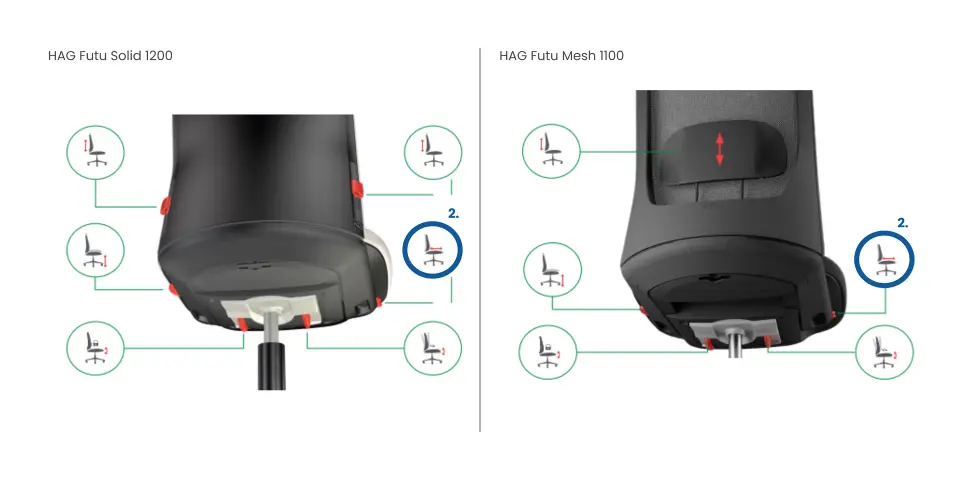
2. Seat depth
Press the button located on the right underneath the seat. Slide the backrest forward or backward until you achieve the correct seat depth. Release the button to lock the position.
The seat depth is correct when there is approximately a three-finger gap between the front edge of the seat and the back of your knees.
Tip: You are sitting correctly when you can comfortably move forward and backward while still maintaining back support from the backrest. Avoid sliding forward on the seat — otherwise you lose proper back support.
3. Lumbar support
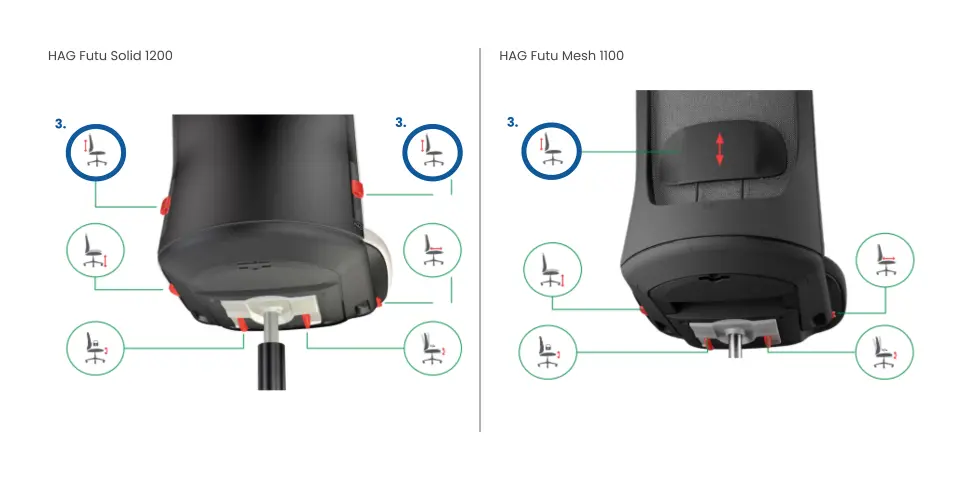
The way you adjust the lumbar support differs between the two HÅG Futu models.
HÅG Futu Mesh 1100
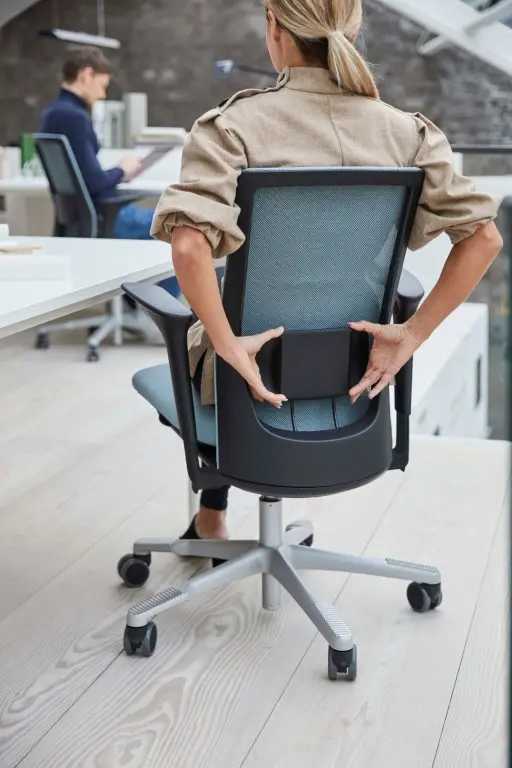
On the Futu Mesh 1100, the lumbar support is a separate clip-on component attached to the outside of the mesh backrest. You can recognize it by the separate cushion on the backrest.
The height can easily be adjusted without buttons:
- Grab the lumbar support.
- Slide it upward until it fits comfortably into the curve of your lower back, just above your belt line.
- If you want to position it lower, first slide it completely upward. After that, you can reposition it from the bottom to the desired height.
HÅG Futu Solid 1200
On the Futu Solid 1200, the lumbar support is integrated into the upholstered backrest.
To adjust the height:
- Hold the two buttons located on the left and right sides of the backrest simultaneously.
- Slide the lumbar support upward or downward until it feels comfortable, ideally just above your belt line.
- Release the buttons to lock the position.
Tip: The correct position provides light and comfortable support in the lower back. If the support is too high, it pushes you forward. If it is too low, you will barely feel any support.
4. Tilt resistance
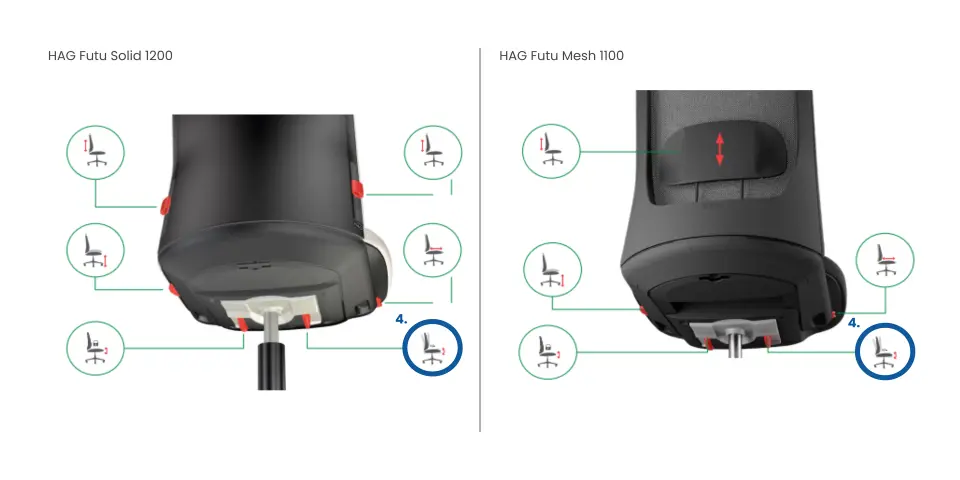
Use the sliding knob located on the right underneath the seat.
- Slide the knob outward to make the resistance lighter.
- Slide it inward to make the resistance heavier.
The resistance is correctly adjusted when the chair smoothly follows your movements while still providing enough counterpressure to prevent you from unexpectedly tilting backward.
Tip: Are you lighter in weight? Then choose a lighter resistance setting. This allows you to fully benefit from the rocking mechanism without effort.
5. Locking mechanism
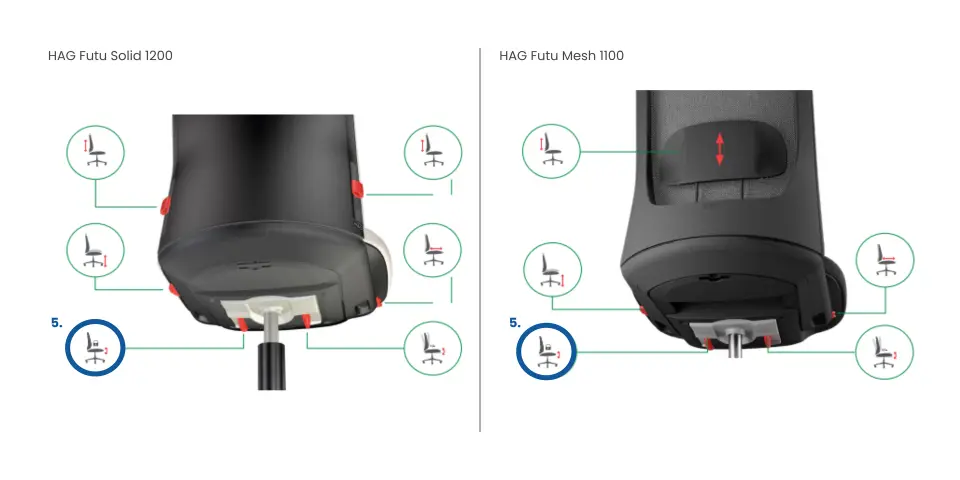
On the left underneath the seat, you’ll find a sliding knob that allows you to lock the tilt mechanism in a horizontal position.
Tip: We recommend keeping the chair in free rocking mode. It may take some getting used to, but dynamic sitting is much better for your back, blood circulation, and concentration. Try it for a few days — we promise you won’t want to go back ;)
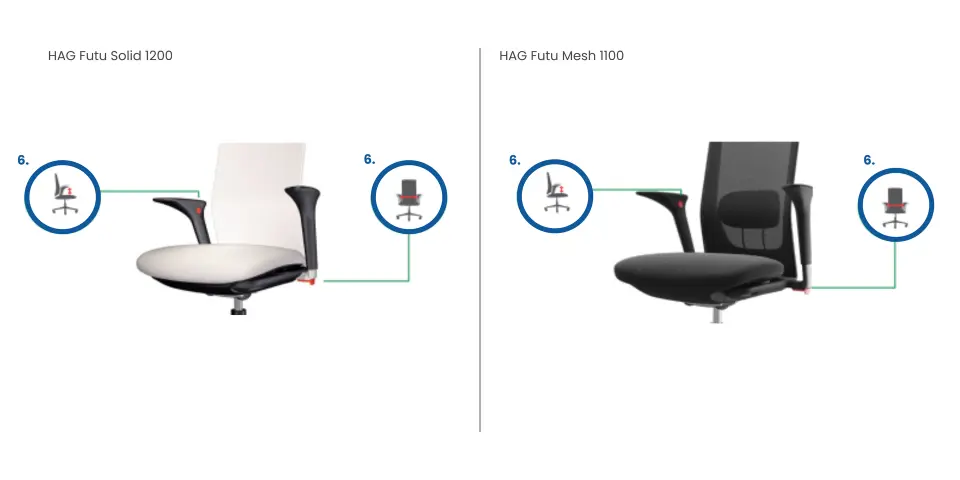
6. Armrests
The HÅG Futu is available with two types of armrests: 2D armrests and 3D armrests. Both versions support your arms and shoulders while working, but the 3D version offers additional adjustment options.
2D armrests
The 2D armrests are adjustable in height and width.
Adjusting the height
Press the button located on the inside of the arm pad and slide the armrest upward or downward. Release the button to lock the position.
The correct height is achieved when:
- your elbows form approximately a 90° angle;
- your forearms rest comfortably;
- your shoulders remain relaxed and are not raised.
Adjusting the width
Pull the button underneath the armrest bracket to move the armrests closer to or farther away from your body.
Adjust them so your arms rest naturally alongside your body without pushing your shoulders outward.
3D armrests
The 3D armrests offer the same height and width adjustments as the 2D version, but can also be adjusted in depth and rotated.
Adjusting depth and rotation
The arm pads can be adjusted without buttons:
- slide them forward or backward to achieve the correct depth;
- rotate them slightly inward or outward for additional support while typing or using a mouse.
Simply grab the arm pad and move it into the desired position.
Tip: Properly adjusted armrests help reduce tension in the neck, shoulders, and upper back during prolonged desk work.