Need advice?
Our specialists are at your service. Call us, have us call you, or send a message.
ContactExtra information
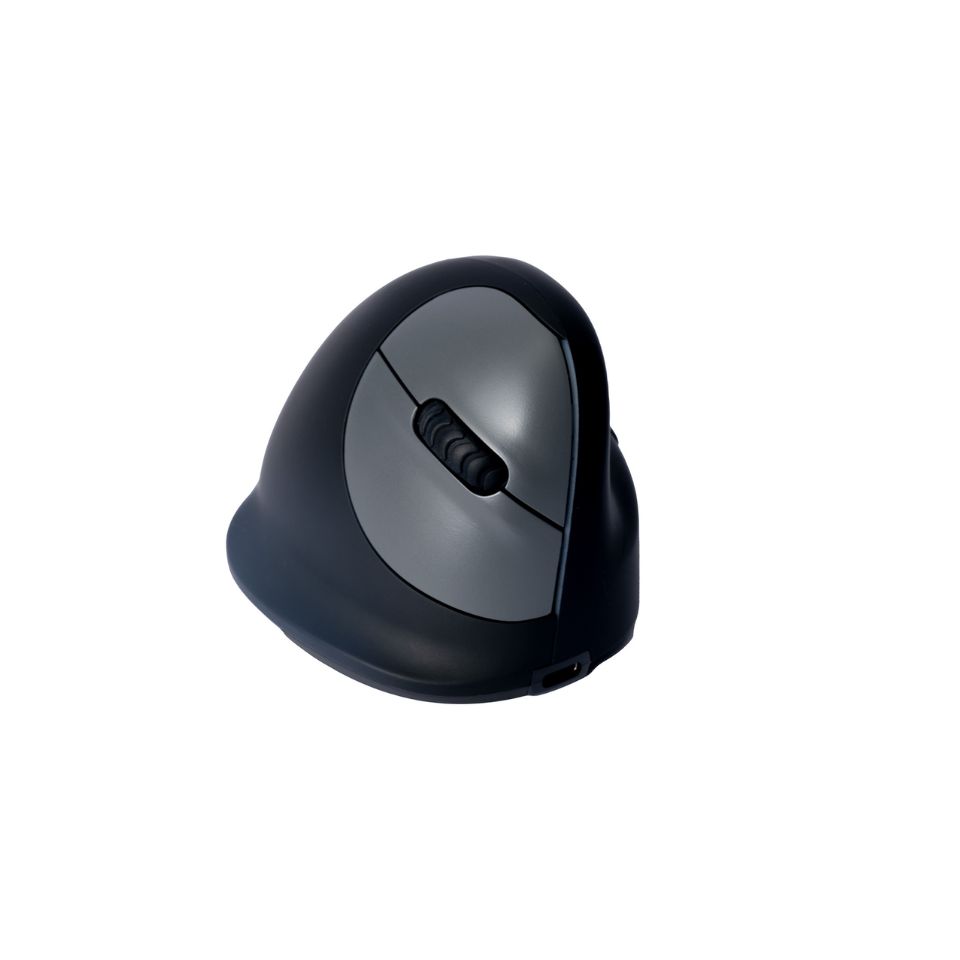
R-Go HE Break ergonomic mouse
The R-Go HE Break mouse is an ergonomic vertical mouse with an integrated break indicator and the choice between wired or wireless Bluetooth connection. The design promotes a natural hand posture and helps prevent RSI complaints.
From
0.00 €
59.00 €
incl. VAT
59.00 €
excl. VAT
59.00 €
Need advice?
Our specialists are at your service. Call us, have us call you, or send a message.
ContactExtra information
Do you work with a mouse for several hours a day? Then it is not only important how your hand is positioned, but also to take regular breaks. The R-Go HE Break is a vertical mouse with a break indicator that helps remind you when it is time for a short break.
More information
Why choose the R-Go HE Break?
LED break indicator
The LED changes colour to show you when it is time for a break. This gives you subtle feedback on your break habits while you work, without having to keep track of a timer yourself.
70° vertical position
The vertical shape keeps your hand in a more neutral position and encourages movement from the arm rather than only from the wrist.
Quiet click
The quiet buttons make less clicking noise than a traditional mouse. A nice benefit for both you and colleagues working nearby who do not want to hear mouse clicks all day.
Choose your size and configuration
Every hand is different. That is why the R-Go HE Break is available in three hand sizes, for left- or right-handed use and with either a wired or wireless connection. This allows you to better match the mouse to your hand and workplace.
Who is this mouse suitable for?
- You work with a mouse for 6 hours or more per day
- You want to consciously improve your ergonomic working posture
- Your prevention advisor, occupational physician or occupational therapist recommended a vertical mouse
Which R-Go HE Break is right for you?
1. Choose your hand size
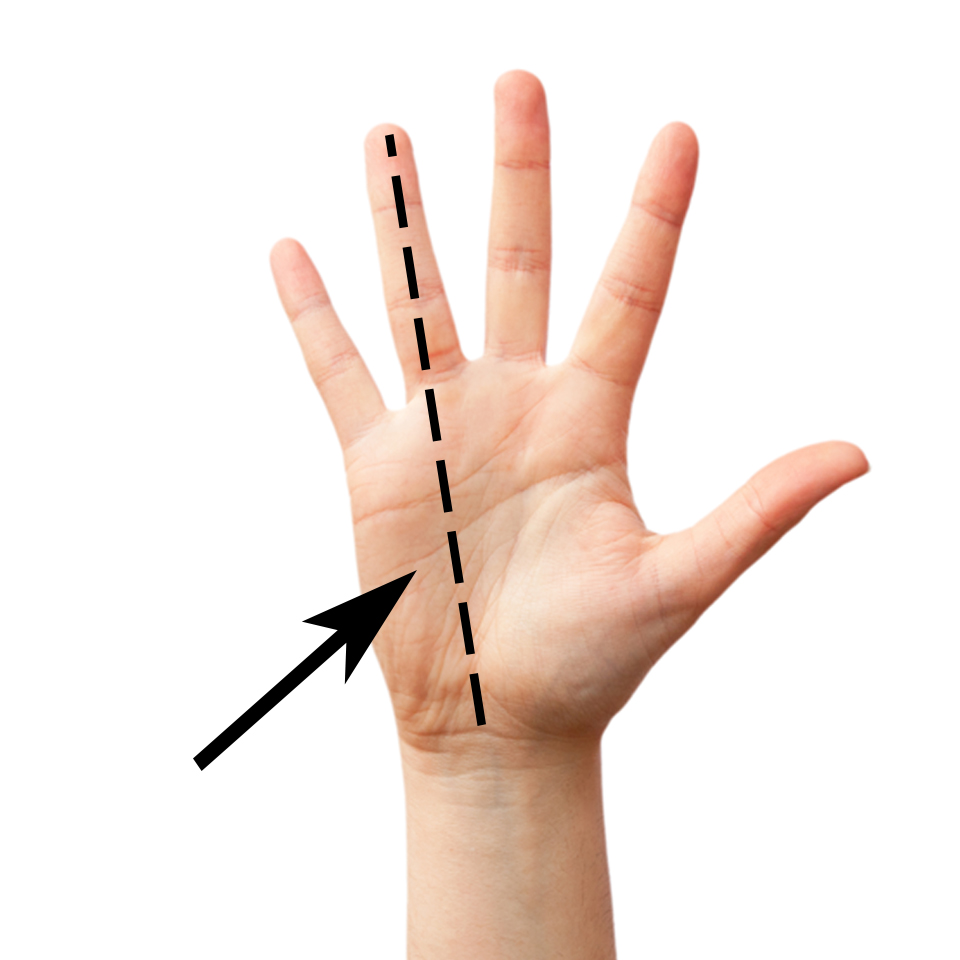
Measure your hand from the wrist crease to the tip of your middle finger.
| Hand length | Recommended size |
|---|---|
| Less than 16.5 cm | Small |
| 16.5 – 18.5 cm | Medium (most popular) |
| More than 18.5 cm | Large |
The right size helps ensure that the mouse sits comfortably in your hand. Unsure between two sizes? Feel free to contact us for personal advice.
2. Choose left- or right-handed
The left- and right-handed versions are designed separately, so your thumb and fingers are supported on the correct side. Choose the version for the hand you normally use to operate the mouse.
3. Choose wired or wireless
Wired
A practical choice for a fixed workstation. Connect the mouse via USB-C and there is no battery to recharge. A USB-A adapter is included.
Wireless
Especially useful if you regularly switch workstations or prefer not to have a cable on your desk. The battery lasts up to approximately 4 months, depending on use.
Frequently asked questions
Do I need to install software?
The mouse works plug-and-play — connect it via USB or Bluetooth and it works immediately. For the LED break indicator, you only need to install the free R-Go Break Software once. It is available for Windows and macOS.
Does the R-Go HE Break work on Mac?
Yes, the R-Go HE Break mouse is compatible with Windows and macOS.
Can I customise the buttons?
Yes. With the R-Go Break Software, you can personalise the five buttons — for example for copying, pasting or navigating back.
How do I know which size I need?
Measure your hand from the wrist crease to the tip of your middle finger. Choose Small for under 16.5 cm, Medium for 16.5 to 18.5 cm and Large for over 18.5 cm.
How long does the battery last on the wireless version?
The wireless version of this mouse has an average battery life of around four months. The exact duration naturally depends on how intensively you use the mouse. Charging is done via USB-C. The mouse is fully charged after approximately 2 hours.
Can I return the mouse if I chose the wrong size?
Yes. See the details in our return policy. Unsure about the size? Call us beforehand for personal advice — this can help avoid a return.
What is the difference compared with the R-Go HE Basic?
The HE Basic is the entry-level model: a simple vertical mouse without the LED break indicator. Would you like active feedback on your break habits as well as more options for size, hand preference and connectivity? Then the HE Break is the better choice.
Technical details
| Feature | Specification |
|---|---|
| Type | Vertical ergonomic mouse |
| Brand | R-Go Tools |
| Hand preference | Left or right |
| Available sizes | Small, Medium, Large |
| Hand length Small | Less than 16.5 cm |
| Hand length Medium | 16.5 – 18.5 cm |
| Hand length Large | More than 18.5 cm |
| Connection | Wired (USB-C, incl. USB-A adapter) or wireless (Bluetooth) |
| Tilt angle | 70° |
| Number of buttons | 5 (programmable via R-Go Break Software) |
| DPI levels | 400 / 800 / 1200 / 1600 / 2400 |
| Quiet click | Yes |
| Break indicator | Yes, LED via R-Go Break Software |
| Compatibility | Windows, macOS (limited Linux support) |
| Battery (wireless) | Up to ± 4 months with normal use |
| Charging time | ± 2 hours via USB-C |
| Dimensions & weight | Depends on the selected size and version |
| Warranty | 2 years |
Still unsure which ergonomic mouse is right for you? View the full overview and compare the options side by side.
View all ergonomic miceNot sure which configuration is right for you?
Our experts will be happy to help. Call us or send us a message.
📞 Call us ✉ Send a message| Brand: R-Go Tools |
| Compatibility: Windows, macOS, Linux |
| Silent Clicks: Yes |
| Number of buttons: 5 |
| Tilt angle: 70° |
| Warranty: 2 years |
Gerelateerde producten
What customers say about Ergonomio
Read why customers choose Ergonomio. Rated 4.9/5
Why buy from Ergonomio

Lowest price guarantee
You're guaranteed the best price all year round. Found the same model cheaper elsewhere? We’ll match the price.

Personal advice and support
Get assistance from our experts—for one product or your entire team.

Complete office furnishings
We help you set up your workspace or office—from planning to delivery.